AwardMatch
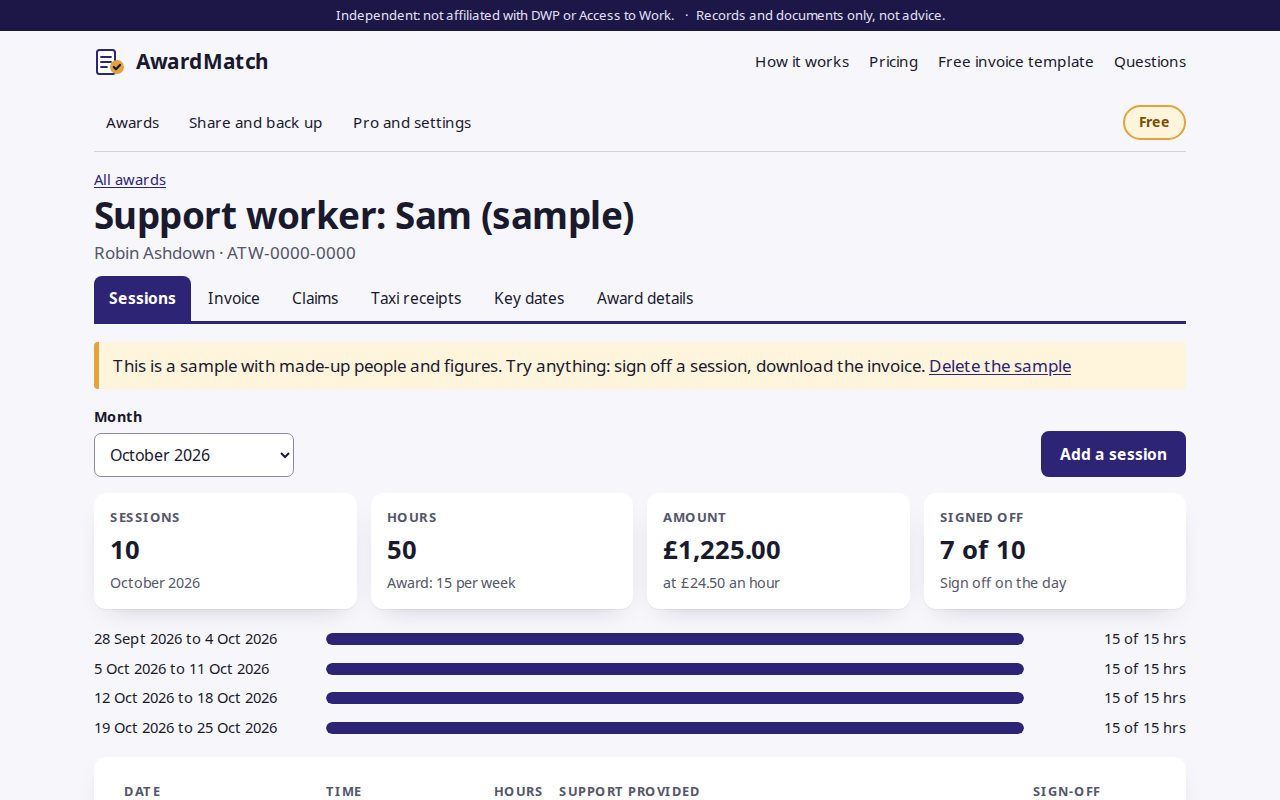
Access to Work claim packs that match your award. Log each support session, get it signed off on the phone on the day, check the month against the award’s hours, rate and dates, and download an itemised invoice. Then track each claim until it’s paid. AwardMatch is independent and not affiliated with DWP or Access to Work.
Checked against the award
Hours per week, month or year, the hourly rate, award dates, the nine-month limit, overlaps, duplicates and missing worker details.
Sign-off on the day
Draw a signature with a finger or type a name. Each sign-off is timed and added to a session record in the invoice.
Invoice PDF
Worker name, UTR and contact details, every session itemised with hours and amounts, totals and bank details.
Claim tracker
Ready, submitted, paid or returned, with days to pay. Worker Pro adds payment ageing across clients.
Reminders and receipts
Calendar reminders for claim cutoffs, renewal and award end, and a checklist for each taxi receipt.
Stays on your device
No account and no server holding claim data, and no field for health or disability. Share an encrypted copy between worker and claimant.
Getting started
- Open awardmatch.onibaku.co.uk and add the award from the decision letter, or open the sample to look around.
- Add each session as it happens and sign it off there and then.
- At the end of the month, fix anything the checks flag, download the invoice, and claim through the Access to Work service. Mark the claim as submitted, then paid.
Pricing
- Free: one award, with every claim feature.
- Worker Pro, £5 a month or £45 a year: unlimited clients and awards, your branding on invoices, and payment ageing across clients. Cancel any time from the billing link in the app.
- Refunds within 14 days: email admin@onibaku.co.uk.
Privacy and terms
See the AwardMatch section of our privacy policy and terms. AwardMatch keeps records and makes documents. It doesn’t submit claims, give benefits advice or decide what Access to Work pays.
Troubleshooting
- My records have disappeared: they live in the browser you used, on that device. Check you’re in the same browser and not a private window, or open your latest backup from “Share and back up”.
- The invoice says “Fix before sending”: click “Show them” next to the problem to highlight the sessions it’s about, then change them on the Sessions tab.
- Lost your Worker Pro key: open “Pro and settings” and use “Lost your key?” with the email you paid with.