Flossmark
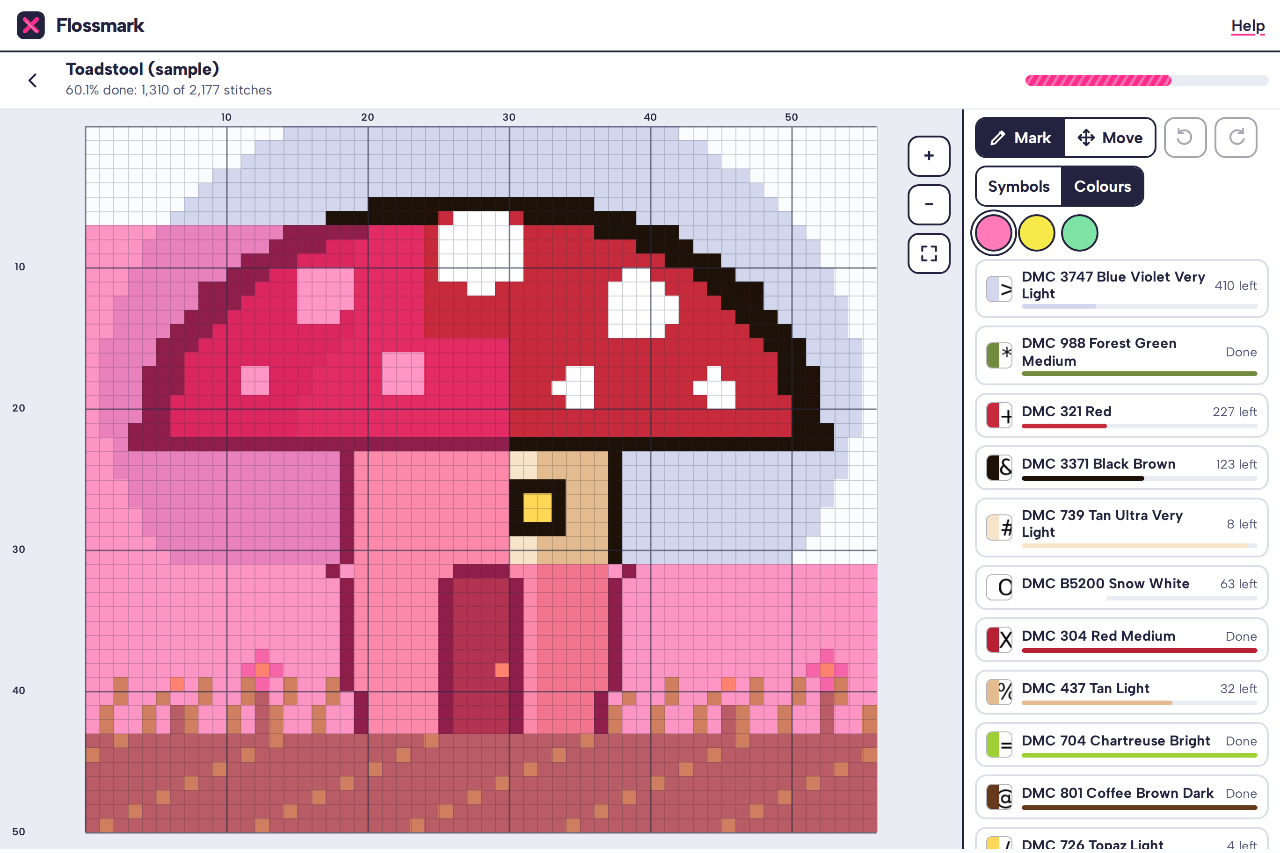
Mark off cross stitch PDF charts on any tablet or laptop. Flossmark opens the “Pattern Keeper compatible” PDF that comes with most chart downloads on a Windows tablet, Chromebook, iPad or Android, reads the grid, symbols and thread key, and lets you tap or drag to mark stitches, highlight one colour, and see how much of each thread is left. It runs in your browser, works offline, and your charts stay on your device.
Reads the PDF you have
Symbols in any font, drawn symbols and colour-block charts, joined across pages by their row and column numbers, with every thread from the key.
Mark by tap or drag
A highlighter stroke on each finished square, with undo. Pinch to zoom, or use the keyboard on a laptop.
One colour at a time
Pick a thread to fade the rest and outline what’s left, with a count of stitches left per thread.
Any device
Windows, Chromebook, iPad and Android. Installs from the browser and opens offline.
Move between devices
One backup file holds every chart and its progress. Restore it on your other device.
Stays on your device
No account and no upload. The PDF is read on your device, and charts and progress are saved in your browser.
Getting started
- Open flossmark.onibaku.co.uk and choose your chart PDF, or open the sample chart to try it.
- Tap a thread to highlight it, then tap or drag across squares as you stitch.
- Install it from the browser (Add to Home Screen on iPad) and save a backup now and then.
Pricing
- Free: every feature, one chart at a time (the sample doesn’t count).
- Lifetime, £9.99 once: as many charts as you like, in up to three browsers. No subscription.
- Refunds within 14 days: email admin@onibaku.co.uk.
Privacy and terms
See the Flossmark section of our privacy policy and terms. Flossmark is independent and isn’t affiliated with Pattern Keeper, Markup R-XP, DMC or any chart designer or charting program.
Troubleshooting
- A chart won’t import: pick the PDF marked “Pattern Keeper”, “PK” or “for apps” from your download. Charts that are a scan or photo can’t be read. See which chart PDFs work.
- My charts have disappeared: they live in the browser you used, on that device. Check you’re in the same browser and not a private window, or restore your latest backup. On iPad, use Flossmark from its Home Screen icon so Safari keeps its storage.
- Lost your licence key: open “Unlock” in the app and use “Lost your key?” with the email you paid with.