Research Trail
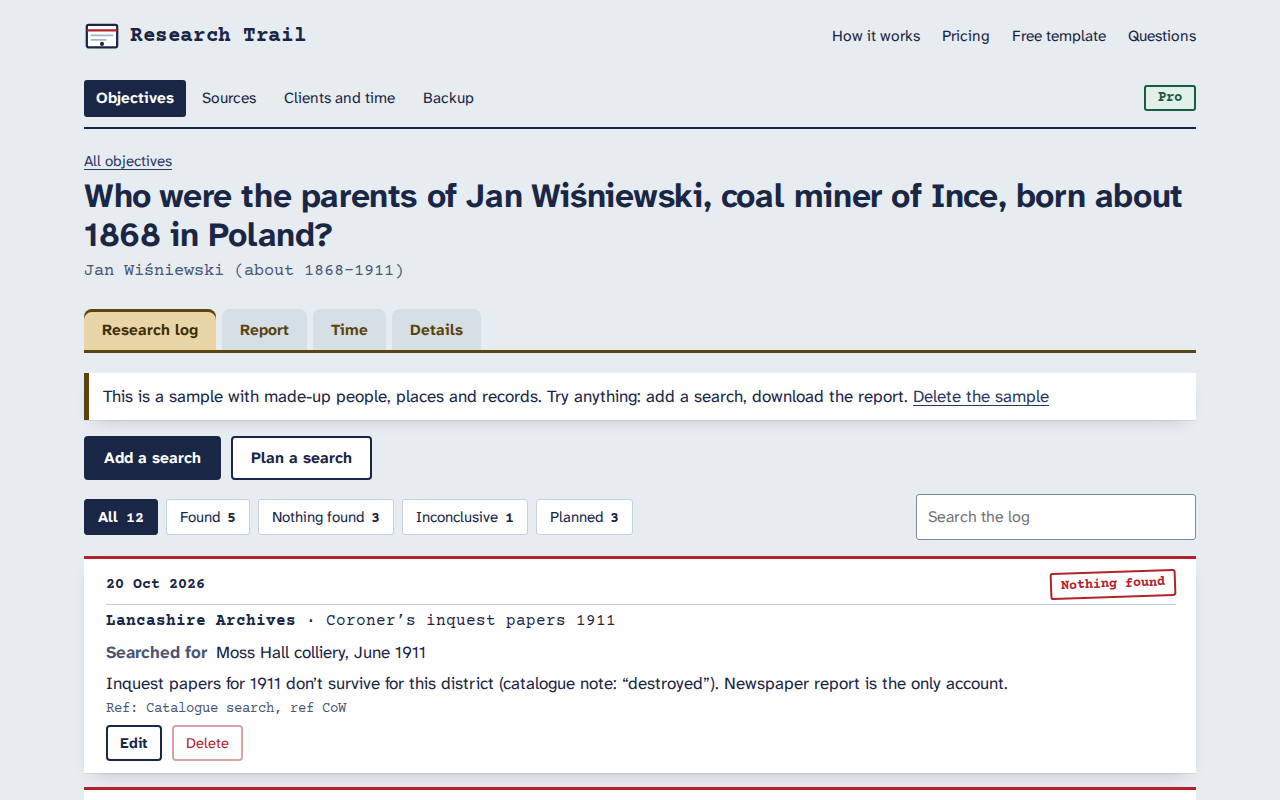
The research log for genealogists. Keep each research question with a log of every search you make against it, including the ones that find nothing, link searches to sources with proper citations, and download a research report or research calendar in Word or PDF. It runs in your browser, works offline, and your research stays on your device.
Objectives first
One research question at a time, with what’s already known, your conclusion and a status.
Every search logged
Repository, record set, what you searched for, and the result: found, nothing found or inconclusive. Plan the next searches too.
Source citations
Fill in the fields once (who made the record, what it is, the collection, the item, the date, where it’s held) and the citation builds itself.
Reports in Word and PDF
Background, summary, conclusion, positive and negative searches, plans and numbered citations, in A4 or US Letter.
Client time (Pro)
Log time per objective, bill it to a client at their rate, and download an invoice-ready summary as PDF, Word or CSV.
Stays on your device
No account and no server holding your research. Backups are one JSON file you keep.
Getting started
- Open researchtrail.onibaku.co.uk and start a research objective, or open the sample to look around.
- Log each search as you make it, including the ones that find nothing, and link the sources you used.
- Open Report and download a research report or research calendar. Download a backup now and then.
Pricing
- Free: one research objective with up to 25 log entries, with reports, calendars, sources and backups.
- Pro, £9 a month or £29 a year ($12 or $36 in US dollars): unlimited objectives and entries, clients, time tracking and time summaries. Cancel any time from the billing link in the app.
- Refunds within 14 days: email admin@onibaku.co.uk.
Privacy and terms
See the Research Trail section of our privacy policy and terms. Research Trail is independent and isn’t affiliated with Research Ties, FamilySearch, Ancestry or any archive.
Troubleshooting
- My research has disappeared: it lives in the browser you used, on that device. Check you’re in the same browser and not a private window, or import your latest backup from “Backup”.
- Moving to another computer: download a backup on the old one and import it on the new one. The import shows what will change before anything does.
- Lost your Pro key: open “Pro” in the app and use “Lost your key?” with the email you paid with.