Daywall
Turn the tablet in your drawer into a family wall calendar. Daywall puts everyone's calendars on one big, always-on screen, each person in their own colour, with a chore chart, meal plan and shopping list alongside. One payment, no subscription, no account.
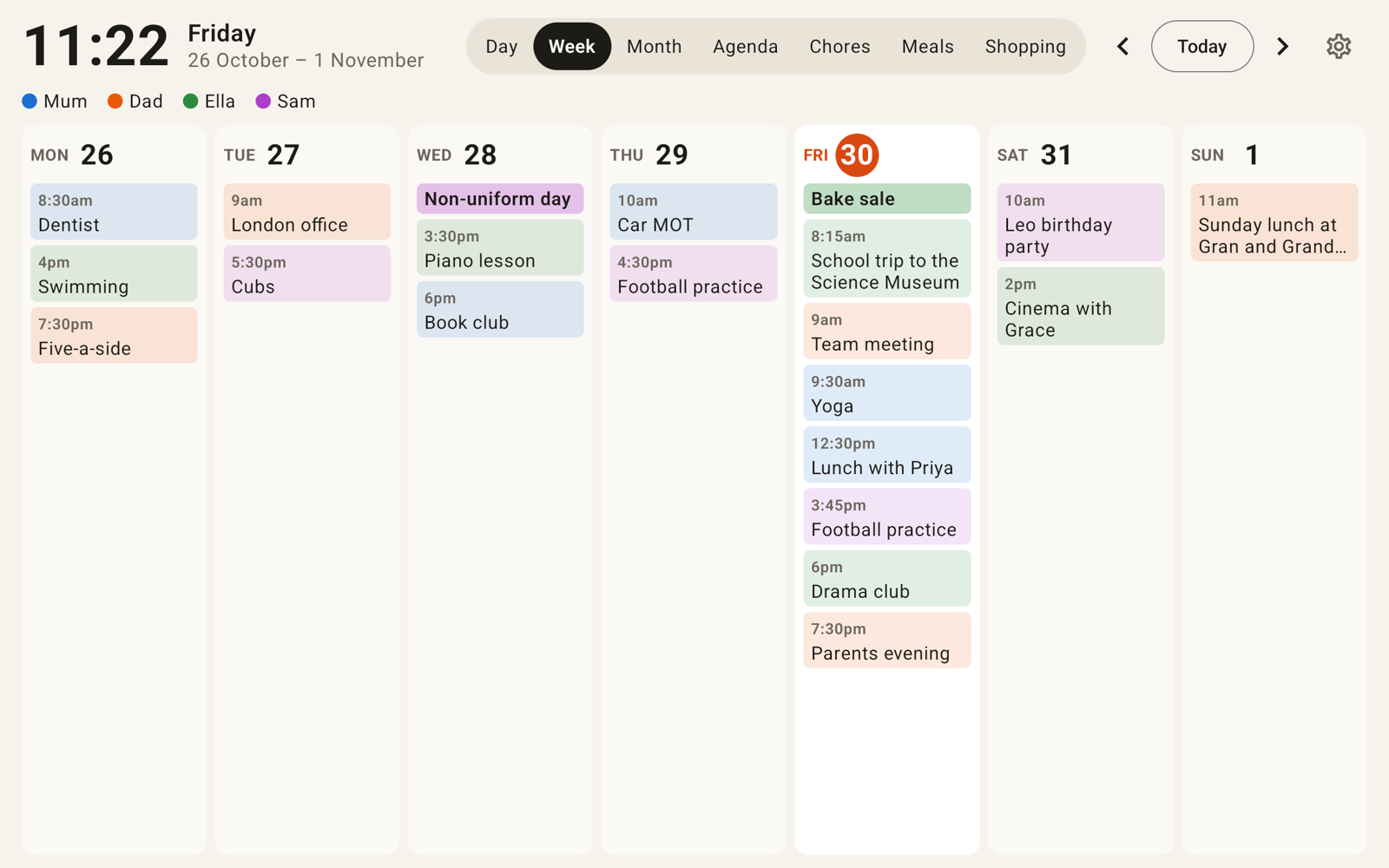
Your calendars, already there
Daywall reads the calendars synced to the tablet, so Google, Outlook, Exchange and Samsung accounts just work. Or paste a secret iCal link from Google, Outlook or iCloud.
Readable from across the room
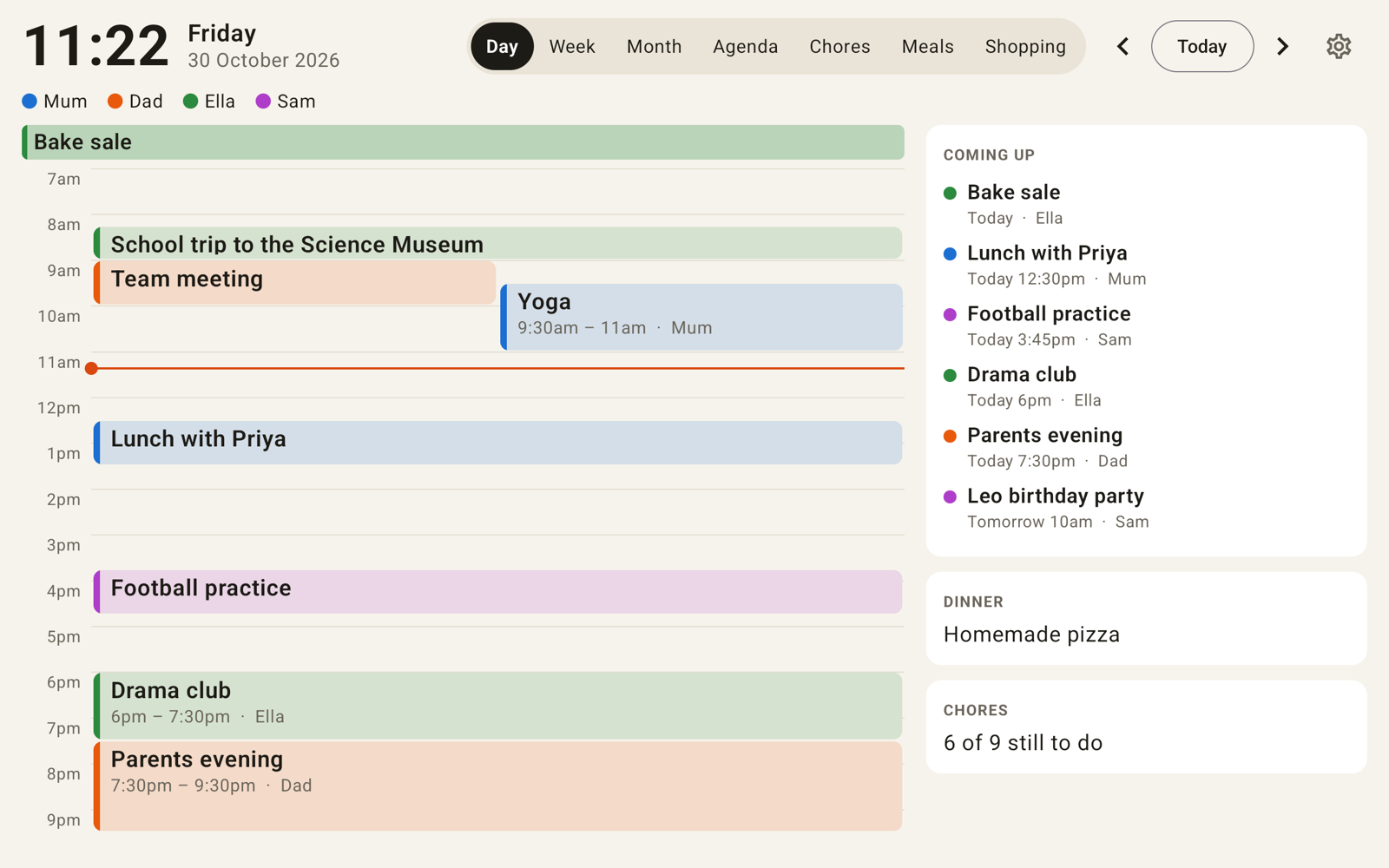
A big clock, big text and one colour per person in day, week, month and agenda views. Today is always highlighted, and the screen drifts back to it when nobody's touching it.
Always on, quiet at night
The screen stays on in the day and dims to a dark clock at night, or switches off and back on in the morning. It starts by itself after a power cut.
Chores with big ticks
A column per person, a tick for each job, and a fresh chart every morning. Pick which days each chore is due.
Meals and shopping
Plan the week's dinners, see tonight's on the day view, and keep one shopping list everyone can add to.
Photo screensaver
After a while without a touch, show photos from a folder on the tablet, with the time and the next event on top.
Free and Pro
- Free: one calendar in the day view, with night dimming and start-on-boot, so you can try it on your wall.
- Pro (one payment through Google Play): every calendar, week, month and agenda views, chores, meals, shopping list and the photo screensaver. No subscription, no account, no ads.
A Skylight Calendar Plus subscription is about $79 a year on top of the frame. Daywall is a one-off payment for the tablet you already own. See a Skylight calendar without the subscription.
Setting up a wall tablet
- Sign in to the family's Google or Outlook account in the tablet's settings (Accounts), or have the iCal links ready.
- Install Daywall, tap Choose calendars and allow calendar access. Rename each calendar after its person and pick a colour.
- In Settings, set when the screen wakes and when night starts, and turn on Start Daywall when the tablet turns on. Choose Daywall as the home app when Android asks.
- Turn off the lock-screen PIN (Settings, Security) so the wall shows straight away, and keep the tablet on charge.
What you need
- An Android tablet on Android 5.1 or later with Google Play. Old tablets are fine: Daywall is tested on a 1 GB, 7-inch Android 5.1 profile as well as a current 10-inch tablet.
- Amazon Fire tablets: Daywall runs once Google Play is installed. Without Play, the iCal links still work but Pro can't be bought.
- A wall mount or stand and a long USB cable. A tablet that lives on charge should be kept below full brightness; many tablets also have a "protect battery" charging limit worth turning on.
Troubleshooting
- An event is missing: tap Settings, Refresh now. That asks Android to sync the tablet's accounts and re-downloads iCal links. Google's iCal links can lag a few hours behind; a Google account added to the tablet updates within minutes.
- The screen doesn't come back on in the morning: use "Dim to a clock" instead of "Screen off", or remove the lock-screen PIN. Some tablets ignore wake-up requests behind a PIN.
- It doesn't start after a reboot: turn on Start Daywall when the tablet turns on and choose Daywall as the default home app.
Privacy
Daywall has no account and no server. Calendars are read on the tablet, iCal links are fetched straight from your provider, and chores, meals and lists stay on the tablet. See the Daywall privacy policy.
Questions or bugs: admin@onibaku.co.uk. We reply within two working days.
Skylight and DAKboard are trademarks of their owners. Google Calendar™ is a trademark of Google LLC. Daywall is independent and isn't affiliated with or endorsed by any of them.