Keyrain
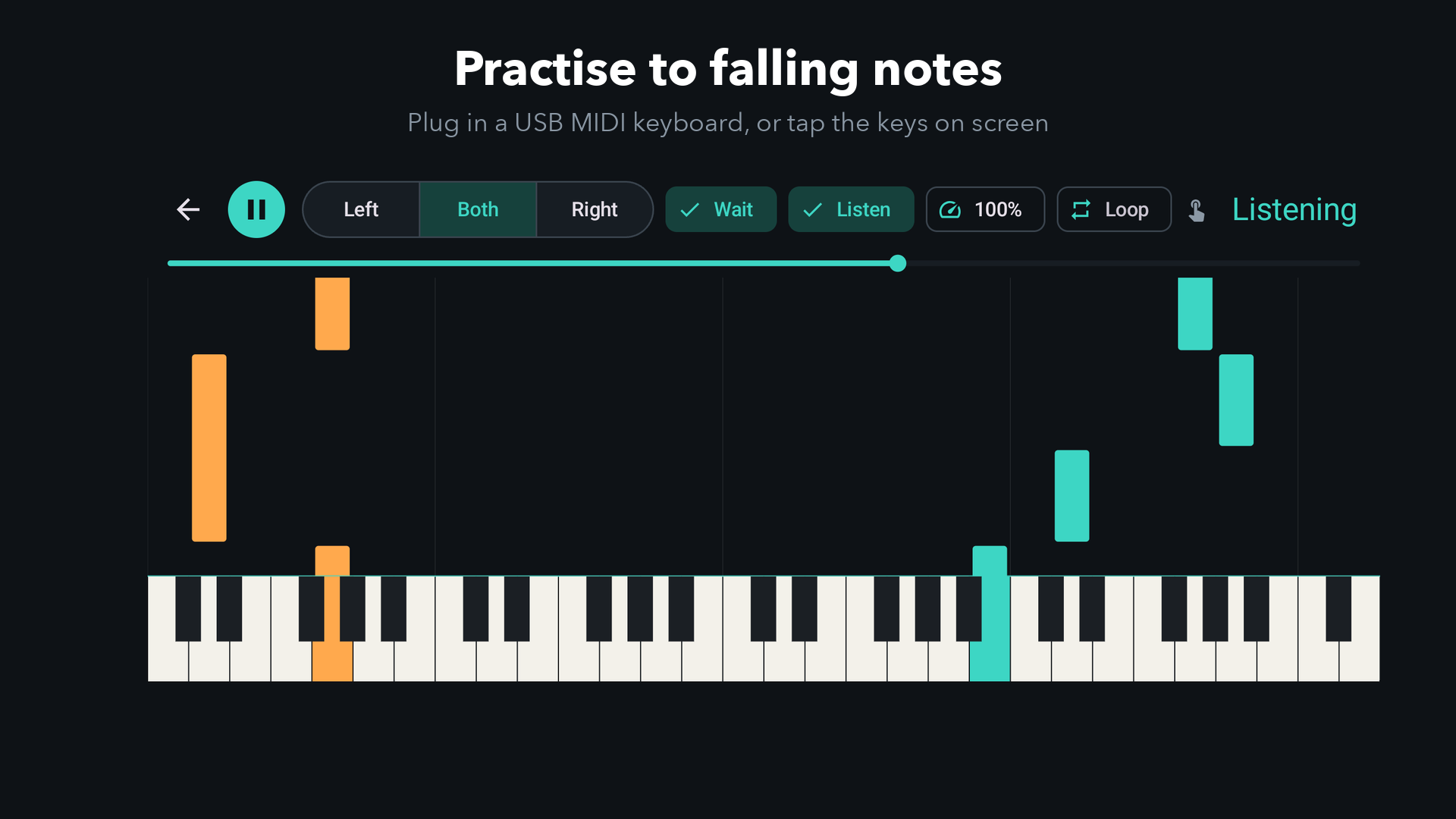
Falling-note piano practice on your Android phone or tablet. Open any MIDI file, plug in a USB MIDI keyboard (or tap the keys on screen) and play along as the notes come down. Keyrain waits for you at every chord, so you learn the piece at your own pace.
Your own MIDI files
Import any .mid file from your phone, Google Drive or a download, or tap one in your file manager and open it with Keyrain. Two-track files split into right and left hand automatically.
Wait for me
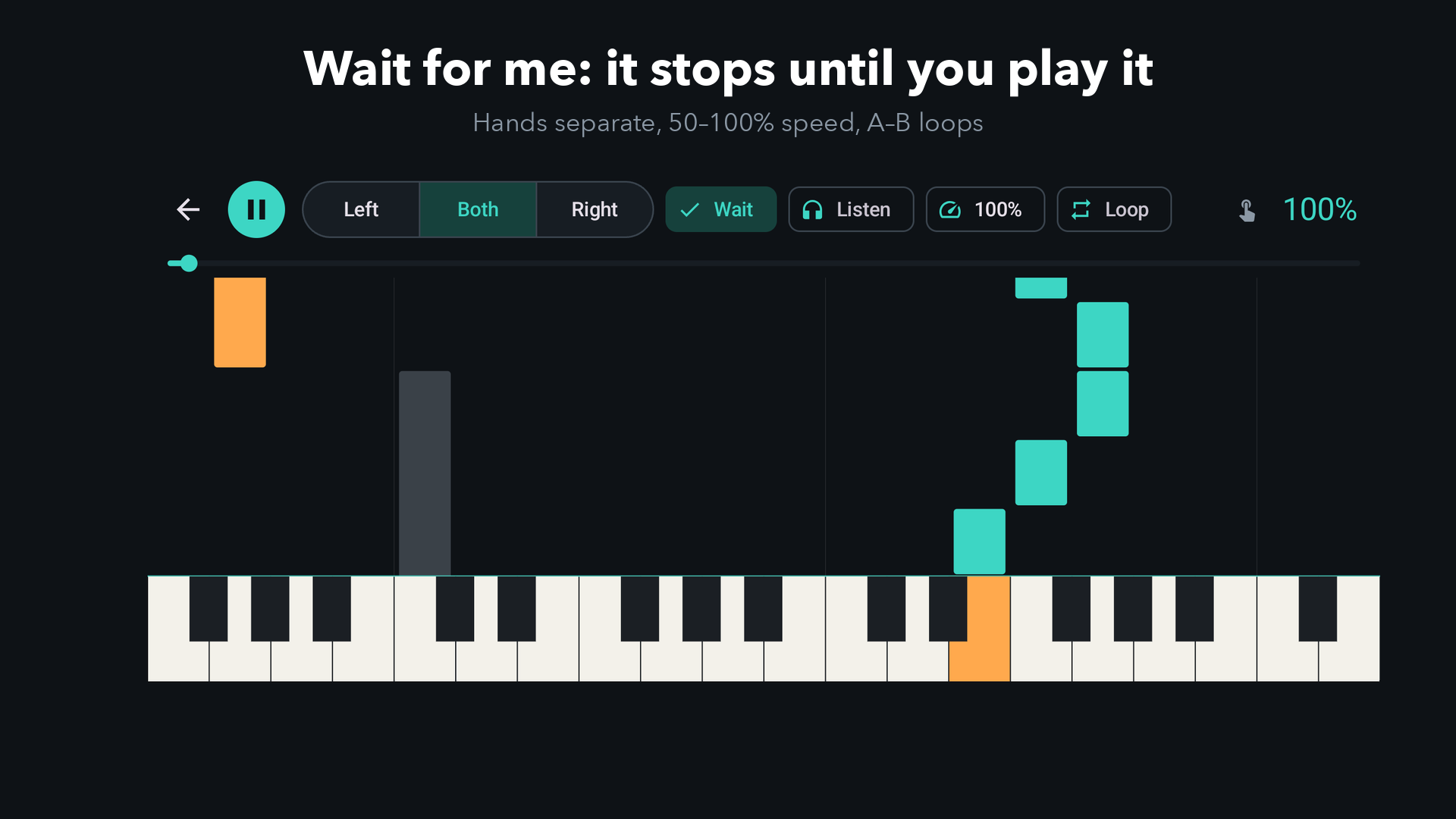
The music stops at each chord until you play the right keys, which light up so you know what to press.
Hands separate
Practise the right hand while Keyrain plays the left, then swap, then put them together.
Slow it down, loop it
Play at 50%, 75% or full speed, and loop the bar you keep getting wrong with A–B repeat.
Listen first
Hear the whole piece with the keys lighting up as it plays, before you try it yourself.
Scores that stick
An accuracy score for every run and your best for every song, saved on your device.
Free and unlocked
- Free: three included songs and one imported MIDI file, with every practice mode.
- Unlock (one payment through Google Play): all eleven included pieces, unlimited imports, and every mode on every song. No subscription, no account, no ads.
Included: Twinkle, Twinkle, Ode to Joy, Jingle Bells, Minuet in G, Brahms' Lullaby, Amazing Grace, Greensleeves, Für Elise (opening), Canon in D, Bach's Prelude in C (opening) and Gymnopédie No. 1, all in our own arrangements.
What you need
- An Android phone or tablet running Android 8 or later. A tablet gives you the biggest keys.
- Optional: a MIDI keyboard. Most digital pianos and keyboards with a USB port work through a USB-OTG adapter or a USB-C cable. Bluetooth MIDI keyboards work once they're paired with a Bluetooth MIDI connector app.
- MIDI files: Keyrain doesn't sell songs. Use your own, or free public-domain files from sites such as Mutopia.
Coming from Synthesia?
Keyrain works the same way, with falling notes, your own MIDI files and a MIDI keyboard, and it's built for current Android. If Synthesia won't open or install on your newer phone, see falling-note piano apps on Android in 2026.
Troubleshooting
- Keyboard not detected: unplug and replug it with Keyrain open. If your phone asks what to do with the USB device, choose MIDI. Some keyboards need to be switched on before you connect them.
- "That file couldn't be read": Keyrain reads standard MIDI files (.mid). Karaoke (.kar) files usually work if you rename them to .mid.
- The hands are mixed up: files with more than two tracks, or only one, are split at middle C.
Privacy
Keyrain runs entirely on your device. It has no account, no ads and no tracking, and it never sends us your files or scores. See the Keyrain privacy policy.
Questions or bugs: admin@onibaku.co.uk. We reply within two working days.
Synthesia is a trademark of its owner. Keyrain is independent and isn't affiliated with or endorsed by Synthesia LLC.