Tachy
Your internet speed in the status bar, next to the clock, updated every second. Pull down the notification for download and upload separately and the Wi-Fi and mobile data you've used today. Built for Android 14, 15 and 16, with no ads.
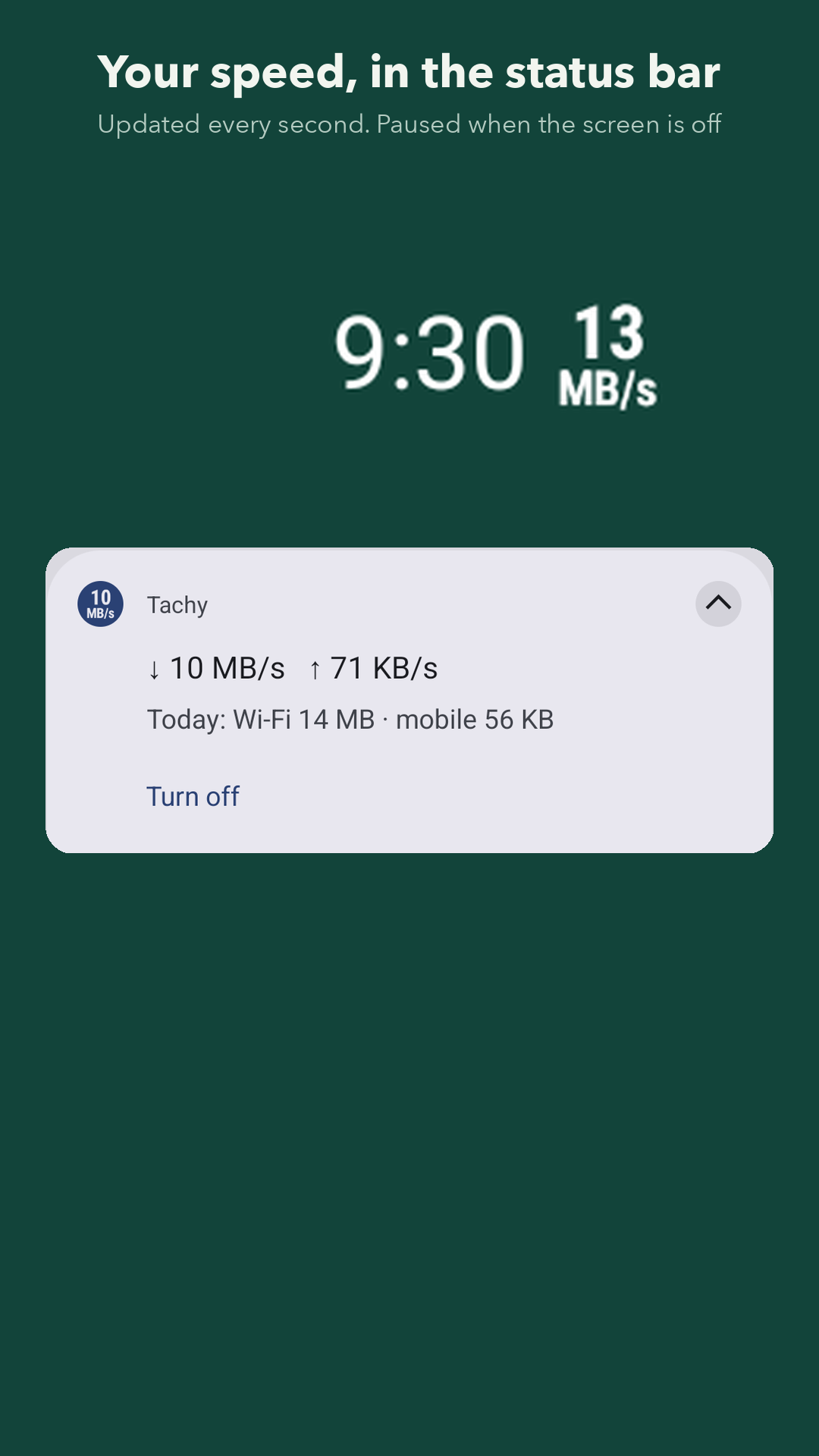
Speed in the status bar
A two-line number, sized to stay legible at status-bar size, updated every second while the screen is on.
Easy on the battery
When the screen goes off, Tachy stops completely. It picks up again the moment you turn the screen on.
Quick Settings tile
Turn the meter on and off from Quick Settings without opening the app. It can start again after a restart, too.
Today and this week
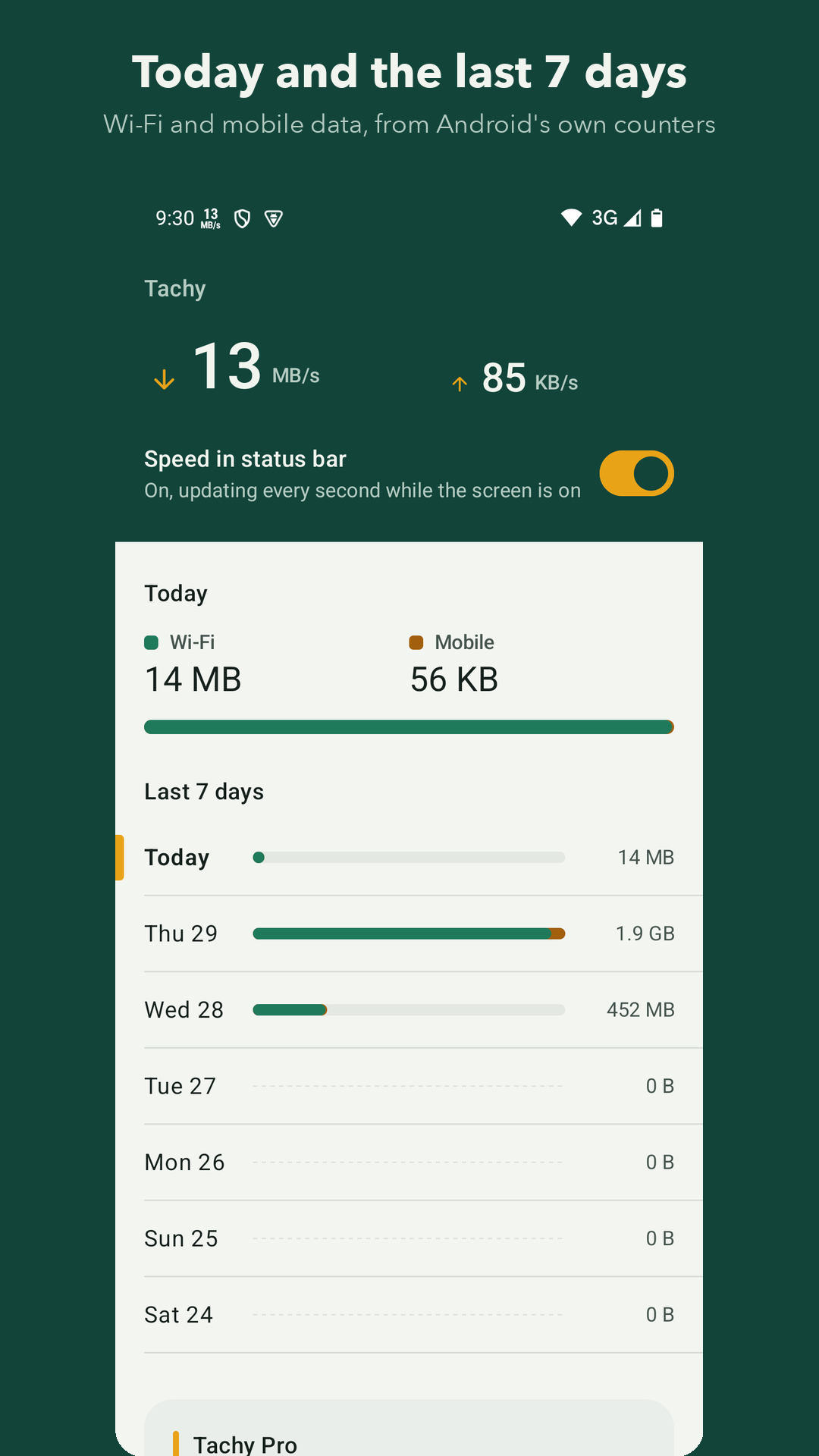
Wi-Fi and mobile data for today and each of the last 7 days, from Android's own counters, so every app is counted.
Mobile data cap alert
With Pro, set your allowance and billing day and get an alert at 90% and 100%.
Nothing collected
No ads, no account, no analytics. Your usage is read and shown on your phone and never leaves it.
Free and Pro
- Free: the status-bar meter, the notification with download, upload and today's data, the Quick Settings tile, start after restart, and today plus the last 7 days of Wi-Fi and mobile data.
- Pro (£1.49, one payment through Google Play): 30 days of history and your month so far, a mobile data cap alert, speeds in Mbps, and a choice of what the icon shows (total, download or upload). No subscription.
Permissions, and why
- Notifications: the speed is shown as a notification icon, so Tachy can't show it without them.
- Usage access: lets Tachy read Android's Wi-Fi and mobile data totals. Android asks you to switch it on in Settings. Tachy doesn't read which apps you use.
Coming from Internet Speed Meter Lite?
Tachy does the same core job, a speed number in the status bar and daily data usage, without ads, and it's kept up to date for current Android. See an internet speed meter with no ads.
Troubleshooting
- The speed isn't in the status bar: check notifications are on for Tachy (Settings → Apps → Tachy → Notifications). Some phones hide notification icons when the status bar is full; swipe away other notifications or turn off another icon.
- Data usage is blank: tap Allow usage access in the app and switch Tachy on in the list Android shows.
- The meter stops after a while: some phone makers stop background apps to save battery. Set Tachy's battery use to Unrestricted in Settings → Apps → Tachy → Battery.
Privacy
Tachy runs entirely on your phone. It has no account, no ads and no tracking, and it never sends us anything. See the Tachy privacy policy.
Questions or bugs: admin@onibaku.co.uk. We reply within two working days.
Tachy is independent and isn't affiliated with the makers of Internet Speed Meter Lite or any other app.